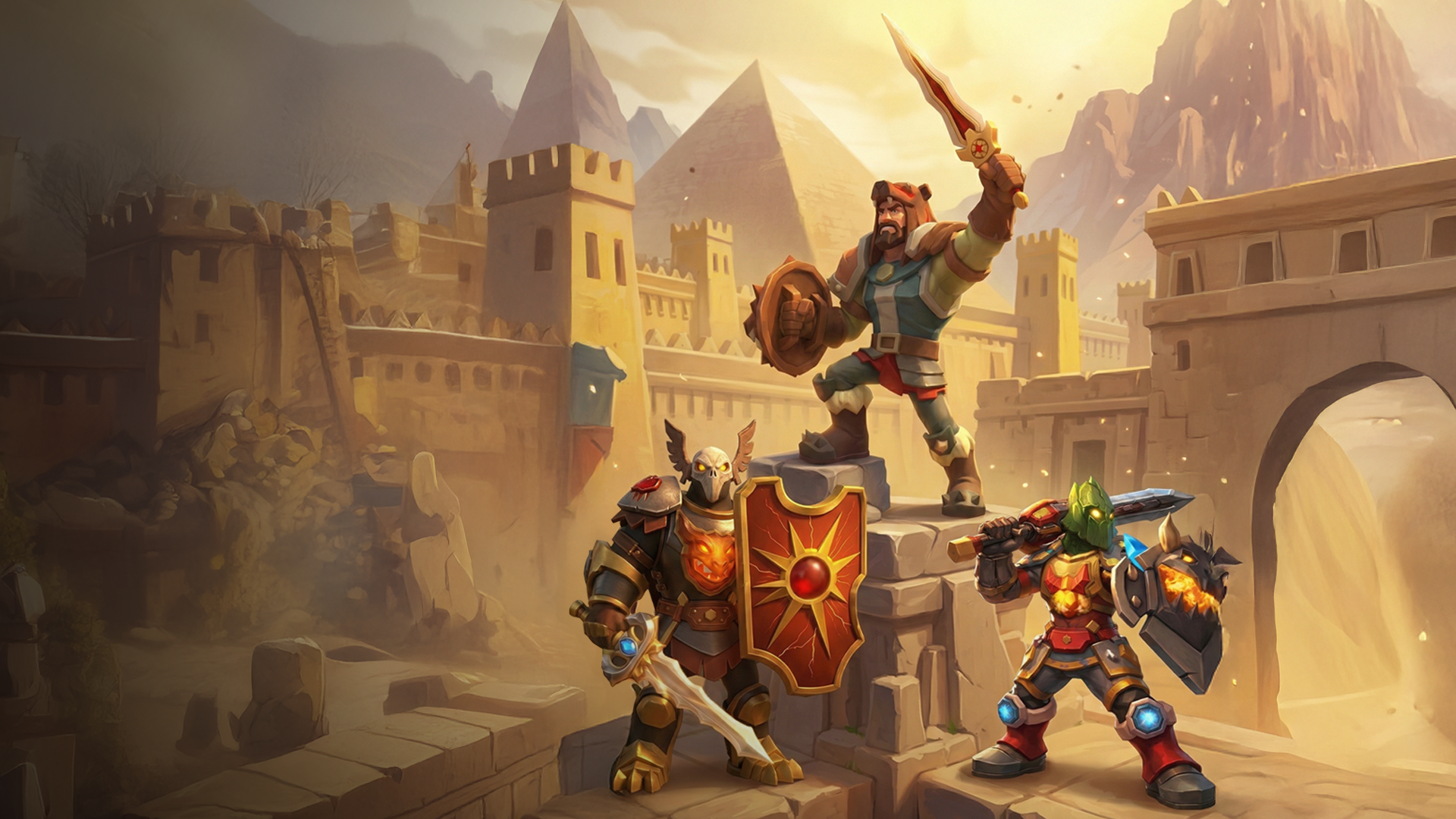
Ready to Fight?
Download free. Pick your warrior. Rise to Legend.
Everything you need to know about Duels, organized by feature and game mode.
Duels is an auto-battle RPG where every decision matters. Build your warrior, choose the right gear, upgrade your stats, and send your fighter into battles against other players. Combat is automatic, but winning comes from smart preparation, strong equipment, and choosing the best setup for each fight.
Yes. You can join or create a Clan with friends, coordinate in Clan Clash battles, and compete together in Clan Events. Clan chat is built into the game.
Duels has seven main game modes: Loot Fight, Championship, Campaign, Dungeon, Clan Battles, Village & Raids, and Events. Each mode offers a different type of challenge and reward.
Duels features 24 Championship divisions. You start in the lower divisions and climb by winning championship matches. Each division represents a step up in competition, all the way to the top Legend tier.
Duels is available on both iOS (iPhone and iPad) and Android phones and tablets.
Gear is earned through battles, loot drops, dungeon runs, event rewards, and the shop. You can also fuse existing items together to create more powerful equipment.
Combat is automatic, but your setup decides the outcome. Your warrior uses the abilities, stats, and effects from equipped gear. Choosing the right weapon, armor, abilities, and resistances before the fight can be the difference between winning and losing.
Duels has Fire, Ice, Poison, and Physical damage. Gear can also give protection against specific elements, which is important when facing enemies that rely on one damage type. Picking the right elemental attack and the right resistance gear is a key part of winning harder fights.
Loot Fight is a core battle mode where you can fight as much as you want to earn rewards and gear. Win battles to build your streak, collect Keys, open chests, and keep improving your warrior.
Each Loot Fight win increases your streak and improves your rewards. The goal is to reach the highest streak possible before the cycle resets and you start again.
You level up by disassembling gear for XP. Every item creates a choice: equip it now, save it for later, use it for Fuse, or disassemble it to progress faster. Leveling up grants Mastery Points, unlocks new features, and allows you to equip better items.
It is Donkey, your loyal companion. He will guide you through the game, so you should listen to him.
Your warrior can equip weapons, shields, armor, gloves, boots, and more. Every item improves your stats and adds combat abilities.
Items come in different rarities:
Common
Uncommon
Rare
Legendary
Mythical
Higher rarity items have stronger stats, such as Attack and Defense, and can include more powerful abilities like critical hit bonuses, fire damage, poison effects, and other combat advantages.
Stars show the strength of an item within its rarity, ranging from 1 to 7. A higher-star item is stronger even if it belongs to the same rarity tier - for example, a 3-star Rare item is more powerful than a 1-star Rare item.
Tap any item to view its level, rarity, stats (damage, health, resistances), and special ability. You can also compare it directly with your equipped item to see which one is stronger before deciding to equip it.
Disassemble lets you turn unwanted items into XP. Dismantling items helps you level up and earn rewards, including Mastery Points. Switch to Disassemble Mode and tap the items you want to break down.
Potions are temporary items that give your fighter short-term buffs in battle. They can increase things like damage resistance or survivability for a limited time, helping you prepare for tough fights. Each potion has a duration and expires after a countdown timer runs out.
The Treasure Hunter Buff is a premium boost that grants one extra item from every chest you open while it’s active. It helps you earn more rewards, gain XP faster, and level up more quickly. The buff lasts for a limited time (usually 30 days), making every chest more valuable.
Mastery Points are a progression currency earned primarily through leveling up. You can spend them in the Mastery Tree to permanently improve your fighter’s stats and abilities.
The Mastery Tree lets you spend Mastery Points to unlock new progression nodes. These nodes grant passive abilities, defensive bonuses against specific attack types, and other combat enhancements.
Mastery Tree choices can be reset and reassigned at any time. The bonuses you gain from the tree are applied on top of your equipped gear, allowing you to customize your fighter for different strategies.
In Loot Fight, you battle against other players and try to build a winning streak. The longer your streak, the more Keys you earn as rewards. When the streak timer ends, your streak resets and you start over.
Loot Fight matchmaking uses a mixed pool of opponents, which can include both lower- and higher-level players. You can always skip an opponent and look for a different challenge. Before each battle, you can inspect your opponent’s fighter, including their defenses against different attack types and elements. By adjusting your gear and abilities to counter their strengths and weaknesses, you can greatly improve your chances of winning even against stronger opponents.
On the VS screen, you can tap your opponent to view their stats and resistance values for each damage type. Lower resistance means they are more vulnerable to that element, helping you choose the best gear for the fight.
Campaign is a single-player progression mode where you travel through chapter-based maps, fight enemies at each stage, and unlock rewards as you progress. It features 120 nodes of battles, with rare gear and story progression earned along the way.
The combat itself is the same auto-battle system, but Campaign fights are fixed encounters instead of matchmade opponents. Each node has a set enemy and a specific reward, and completing them progresses your Campaign journey through the chapter map.
Campaign unlocks early in the tutorial after completing your first Loot Fights and reaching a low player level. It becomes available very early in progression as part of your core game modes.
Championship is a competitive PvP mode where you climb through Championship leagues by earning medals. You start in lower leagues and progress upward by defeating opponents, while losing battles can cost you medals. Each league contains a small group of players competing for rank.
At the end of each Championship, the top-Championship players are promoted to the next league. You can also earn an immediate promotion at any time by collecting 15 medals during the current Championship. Higher leagues feature stronger competition but offer better rewards.
Yes - you fight against other real players’ characters . Battles are fully automated, so you don’t need to be online at the same time.
When the Championship timer ends, the league is finalized and your final ranking is calculated. Rewards are then distributed based on your medal count and position, and a new championship begins with fresh matchups and reset medals.
Your Championship bracket is displayed as a scrollable leaderboard, showing a limited number of opponents at once. You can scroll to view the full list of players in your league. Please note that it usually takes a few minutes after a Championship starts for the bracket to fill with players.
Fire Dungeon is a PvE mode where you battle through a series of fire-themed enemies on lava battlegrounds. Each run ends with an Infernal Chest, which can contain rare Hellforge gear with powerful combat bonuses.
Yes, dungeons rotate frequently.
Defeating a dungeon at your current level promotes you to the next one. Each new level increases enemy difficulty but also improves the quality of potential loot rewards.
Yes - Fire Dungeon enemies deal fire-based damage, so equipping fire resistance gear or using resistance potions will help you survive longer and progress further.
Fire Dungeon unlocks after you progress through the early game tutorial and gain access to Championship mode. Your in-game guide will introduce it when it becomes available.
Clans are groups of players who team up to chat and participate in cooperative events like Clan Battles and boss fights.
Open the Clan menu, search for a clan, and tap to view details. If the clan is open and you meet the level requirement, you can join.
Go to the Create tab in the Clan menu to set up your clan. You can choose its name, description, icon, country, and joining requirements. Creating a clan costs Keys, and once created, you become the clan Leader.
Leader
The Leader manages the Clan, promote or remove members, and control the Clan settings.
Co-Leader
Co-Leaders help manage the Clan. They can invite and remove members, and assist with Clan activities.
Elder
Elders are trusted members who can help moderate the Clan, invite players, and support Clan activities.
Member
Members can participate in Clan activities, donations, join Clashes, and chat with other Clan members.
Yes - you can leave your clan at any time from the clan settings. Once you leave, you’ll return to the clan selection screen where you can join or create a new clan.
Yes - clans can be shared via invite links, allowing friends to join directly from messaging apps, email, or social media.
Clan Clash is a competitive clan-vs-clan event where two clans battle for victory. Clans must build a warship using donated Keys before the fight begins.
Go to the Clash tab and donate Keys to your clan’s ship. Contributions from all members fill the ship’s progress bar, and once it’s full, your clan becomes ready for Clan Clash battles.
The Clan Clash won’t start until your clan meets both requirements: enough members and a fully built ship. Once both conditions are met, your clan becomes eligible to enter a Clash.
Once your ship is fully built and your clan meets the member requirement, your clan enters matchmaking to find an opponent. When a match is found, the Clan Clash begins automatically and rewards are distributed after the event.
The Clan Event is a cooperative boss fight where your entire clan works together to defeat a powerful enemy. Every member contributes damage, and all damage is combined to bring the boss down. If the boss is defeated, all clan members earns rewards.
Boss fights use the same automated combat system as other battles. The boss has a large shared health pool that does not reset between attempts, meaning all damage dealt carries over until it is defeated. Even if you lose a fight, your damage still counts toward the total.
Each attempt gives you a damage summary and contributes progress toward defeating the boss. Your performance helps build overall clan progress, even if you don’t win the fight. When the boss is defeated, the clan earns major rewards, including skull points and special reward chests.
A Clan Event typically lasts 3 days. A countdown timer shows how much time is left until the event ends.
Yes -clans are ranked in a leaderboard based on total damage dealt and bosses defeated. Top clans earn higher reward tiers based on their position.
Event Tickets (blue ticket icon) are a special currency that can be found in crates throughout the game. They are used to participate in Personal Boss and Clan Boss events, giving you access to unique challenges and rewards.
The Village is a base-building mode You develop and upgrade buildings that generate resources over time, manage a Blacksmith shop, and interact with other players through raids and defenses.
The Village unlocks at player level 20. When you reach that level, you'll see a congratulations message and a tutorial will guide you through building your first structures.
Your Village is a stunning mountain stronghold where your knight stands guard, flag flying proudly. Four unique buildings surround you, each one ready to be constructed, upgraded, and put to work generating resources for your empire.
The Village is a progression system that generates resources over time and unlocks new gameplay features as you upgrade it. Manage your economy, improve your buildings, raid other players for loot, and protect your resources from attackers.
No. Constructing and upgrading buildings requires resources. The cost increases as buildings reach higher levels, making resource management an important part of Village progression.
Yes - you can instantly complete construction by using the Skip option and spending Shards. Otherwise, buildings finish after their real-time construction timer ends.
Production Boosts temporarily increase the speed at which your Village buildings generate resources.
Your Village produces three resources:
Shards are the premium (hard) currency. In the Village, they're used to skip construction timers so buildings finish instantly, and to purchase longer-duration production boosts.
Buildings automatically generate resources up to their storage capacity. Once full, they stop producing until you collect the stored resources, which adds them to your Village inventory.
Tap a production building, then tap BOOST. You'll see three options with increasing durations:
Boosts temporarily increase the building's production rate for the chosen duration.
The Blacksmith Shop is a Village building where you can spend Ore to craft valuable equipment. Its inventory includes powerful items of various rarities, including Mythical gear, making it an important source of upgrades for your fighters.
Raids let you attack other players’ Villages in PvP combat. You can scout your target before fighting, and winning lets you steal their resources.
Each raid costs one ticket, whether you win or lose the fight. Scouting an opponent’s Village is free, but starting the battle consumes a ticket.
Scouting lets you preview an opponent’s Village before attacking. You can see building levels, available resources, and which buildings have already been raided and contain no loot.
If you win a raid, you steal resources from the opponent and reach the reward screen. Three chests are presented, each containing a different amount of resources. You may open one chest and claim its reward for free, or spend Shards to automatically reveal and claim the chest with the highest reward. After choosing, the contents of all three chests are revealed.
Losing a raid still costs a ticket, but no resources are stolen and the target Village remains unchanged.
If another player successfully raids your Village, the targeted building stops producing resources and becomes unavailable until repaired. The attacker's country flag will also be raised above your Village as a sign of their victory. Repairing the building restores its production and removes the attacker's flag.
Yes - your Village can be raided even while you’re offline. When you return, any affected buildings will need to be repaired before they resume producing resources.
The Duels Pass is a seasonal progression system with Free and Paid tracks. You earn Pass XP by completing quests and unlock rewards as you level up.
Each Duels Pass season runs for a fixed period, and a countdown shows how much time is left. When a season ends, a new one starts automatically with fresh rewards and progression.
No - the Free track is always available. The paid Pass unlocks additional rewards at every level, with higher-value items alongside the free rewards.
Duels Pass rewards are claimed directly from the Pass screen. As you level up, new reward tiers unlock and can be collected immediately.
The shop includes rotating offers, progression boosts, daily rewards, currency packs and more
Duels features several chest types, each offering different rewards and item rarities. Higher-tier chests generally contain better rewards and a greater chance of obtaining rare or powerful equipment. Before opening a chest, you can view its possible rewards and drop rates, allowing you to see exactly what items it can contain.
Keys are the main in-game currency earned through fights, chests, Black Market, and other gameplay activities. They’re used for things like clan donations, shop purchases, and progression-related rewards.
Shards are the premium currency. They’re mainly used for premium actions such as skipping timers, buying Keys, activating stronger boosts, and other premium features.
The Wheel of Fortune is a daily reward spin in the shop. You get one free spin every 8 hours.
A free spin becomes available every 8 hours. A countdown shows when your next spin is ready.
You get one free spin per cycle. Additional spins may sometimes be available through ads or by spending currency.
The Daily Bonus is a login reward system that gives you a reward every day you log in. Each day you claim the next reward in the sequence, with higher-value chests appearing as you progress.
Black Market is a rotating shop offers that refresh on a timer. Each deal can be claimed once per cycle and then locks until it becomes available again.
Keys Delivery is a 30-day daily reward subscription that grants 25 Keys per day. You need to claim the reward manually each day from the shop, and it refreshes once per day.
Open the Options menu using the gear icon in the top-left corner of the main menu. From there, you can manage account settings.
To change your name, open the Options menu and update the name field at the top of the screen. The new name will be reflected throughout the game after confirmation.
Duels supports Arabic, Simplified Chinese, Traditional Chinese, English, French, German, Italian, Japanese, Korean, Portuguese, Russian, Spanish, and Turkish.
You can disable music or sound from the Sound Settings in the Options menu by toggling them off.
To manage Duels notifications, open your device settings and go to: Settings → Apps → Duels → Notifications. From there, you can enable or disable notifications, or customize which types of notifications you want to receive. You can also control notifications directly in-game by going to Options and toggling Personal and Clan notifications on or off under Notifications Settings.
You can switch between saved profiles in the Account Settings section of the Options menu. Select the profile you want from your list and confirm to switch.
Your Profile ID can be found in the Options menu near the bottom of the screen. It’s a unique code used when contacting support.
Yes - you can connect your account to Facebook from the Options menu. You can also access the official Duels Discord community from there.
Google Play Achievements are platform-based milestones you can unlock while playing Duels. They track progress such as leveling up, completing Campaign stages, or joining a clan, and reward Google Play XP for your profile.
You can find all legal information in the Options menu under the license or legal section. This includes links to the Privacy Policy, Terms & Conditions, and third-party notices.
Your current game version is shown in the Options menu (e.g., V1.21.0.x).
You were raided. The building is disabled until you repair it, and it will not produce resources in the meantime.
This usually means your clan hasn’t fully met the requirements yet. You need enough active members and a completed ship before matchmaking can proceed. Check the Clash tab for any requirement warnings.
No -your equipment is always safe. Losing only affects progress systems such as win streaks, medals, or raid tickets depending on the mode.
The leaderboard updates after each fight. If your result doesn’t appear immediately, reopening the Championship screen will refresh the latest standings.
All clan activity is automatically logged in the Chat tab, including ship donations in Clan Clash and damage dealt to Clan Event bosses.
This tag is applied to clans suspected of using unfair or unauthorized methods. These clans may still appear in search, but are typically restricted from participating in competitive features.
If you need help, you can contact support via Discord or through the in-game support options in Settings.
If your question isn't covered here, reach out via Discord or the in-game support options under Settings → Read License.
Download free. Pick your warrior. Rise to Legend.